


.png)
In this update, we cover:
- Communication Dashboard: A clear view of how your team (and AI) is handling prospects
- Auto-Reply for Texts: Never leave an inbound lead on read
- Campaign Tracking: See which marketing sources actually drive tours
- Listing Widget: Customize it to match your site, no dev needed
A clear view of communication performance
Messages now has its own dashboard, giving teams one place to understand how prospect communication is performing over the last 90 days.
Property managers can see:
- How many prospects were assisted
- How many scheduled a tour after engagement
- How SMS and call activity is trending over time
The dashboard also shows when prospects are reaching out by day of week and time of day, helping teams spot coverage gaps and adjust staffing or follow-up expectations.
For teams using AI Leasing Agent, the dashboard includes AI-specific visibility, including AI-resolved conversations and call duration trends. For teams not using AI Leasing Agent, it focuses on team response time so managers can still track the communication patterns that affect leasing outcomes.
A simple automatic reply for incoming texts
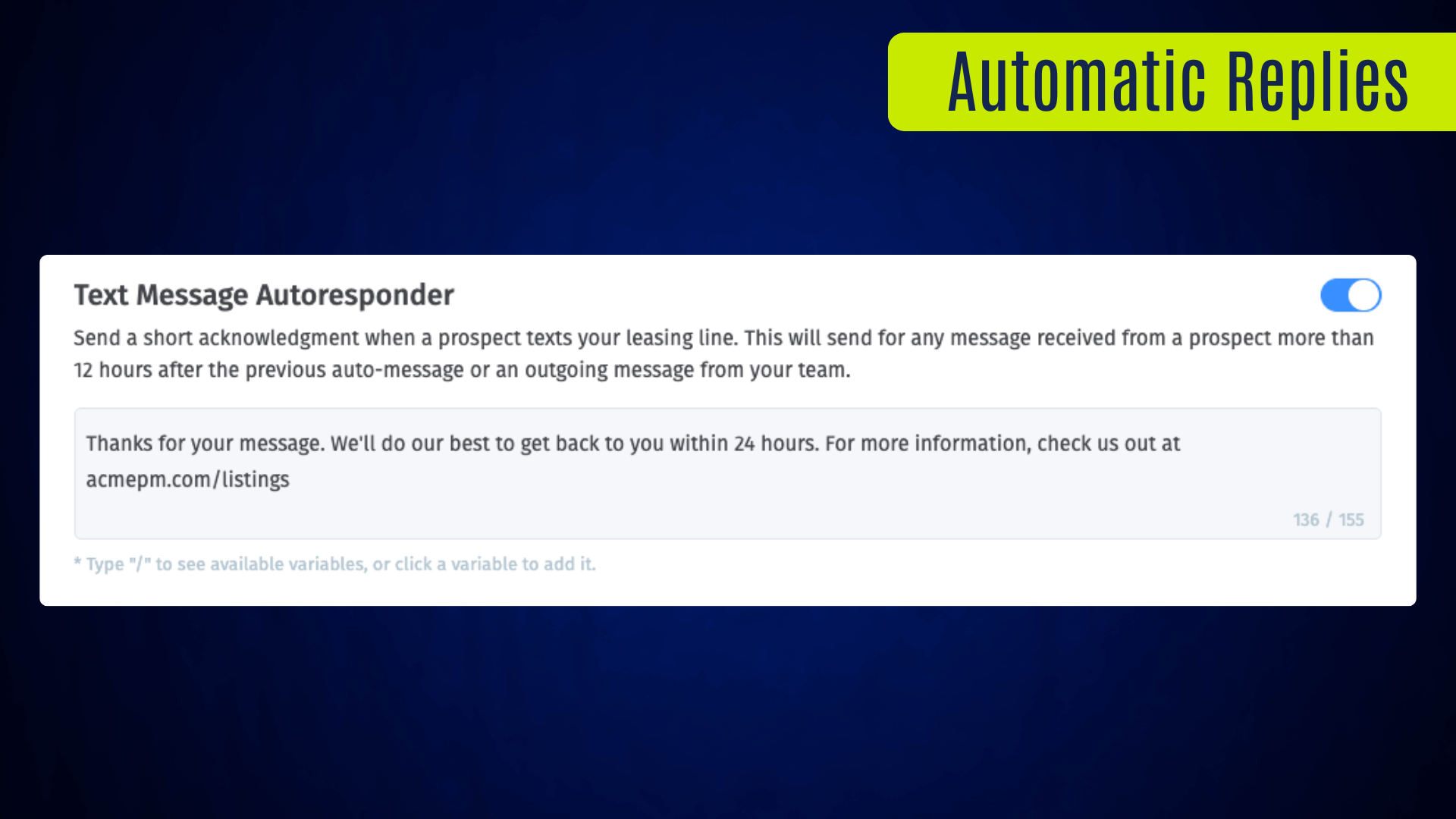
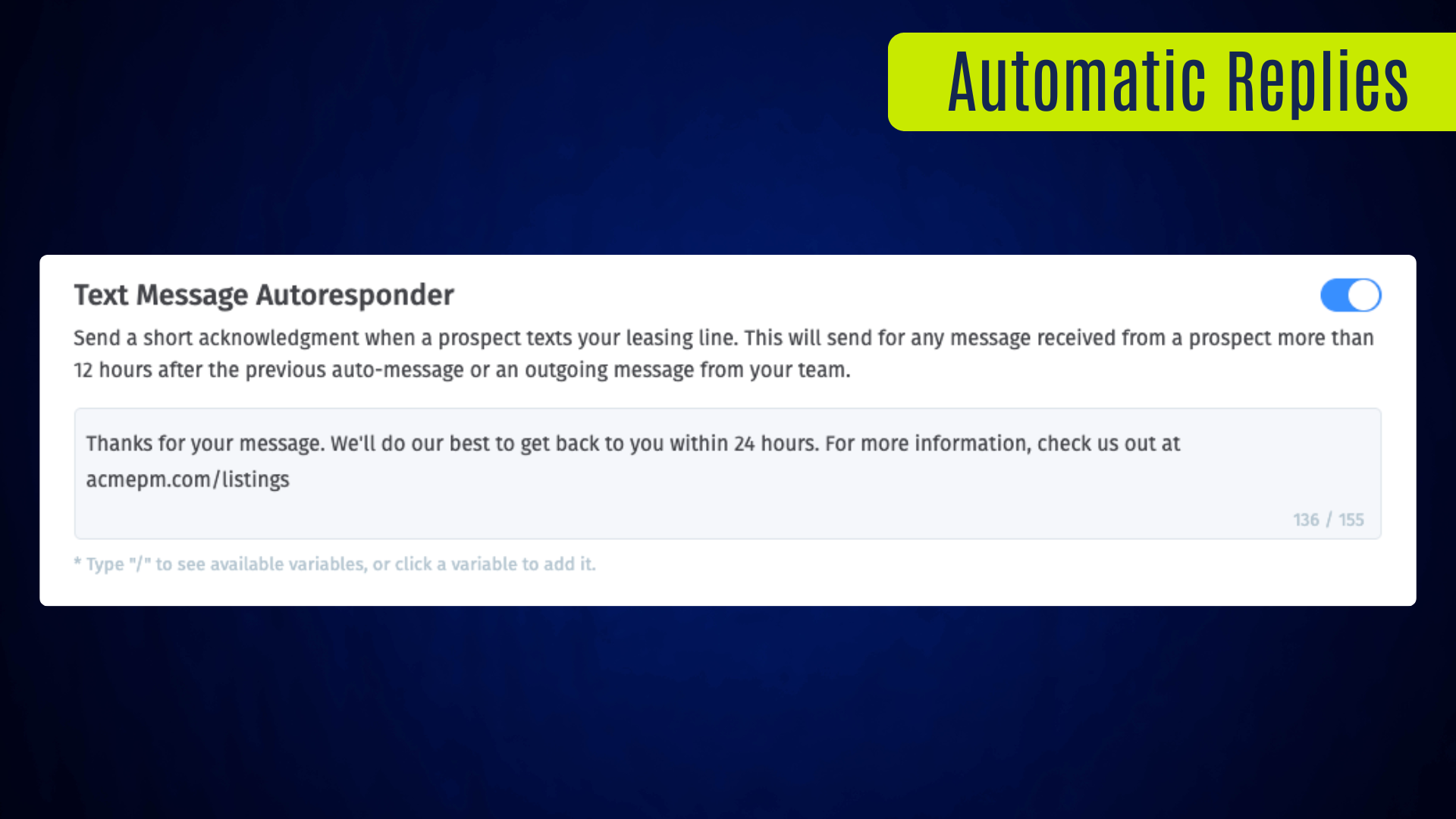
For teams that are not using AI Leasing Agent, Messages can now send an automatic acknowledgment when a prospect texts the business leasing line.
The reply is fully configurable, and can communicate your team's response time, direct leads to your website, or provide leads with any information you'd like. All messages continue to appear in your Messages inbox and on the prospect's profile.
To keep follow-up from feeling repetitive, Showdigs also applies a 12-hour cooldown. If your team or the autoresponder has already replied recently, the same conversation won't keep receiving repeated automatic messages.
Better campaign visibility
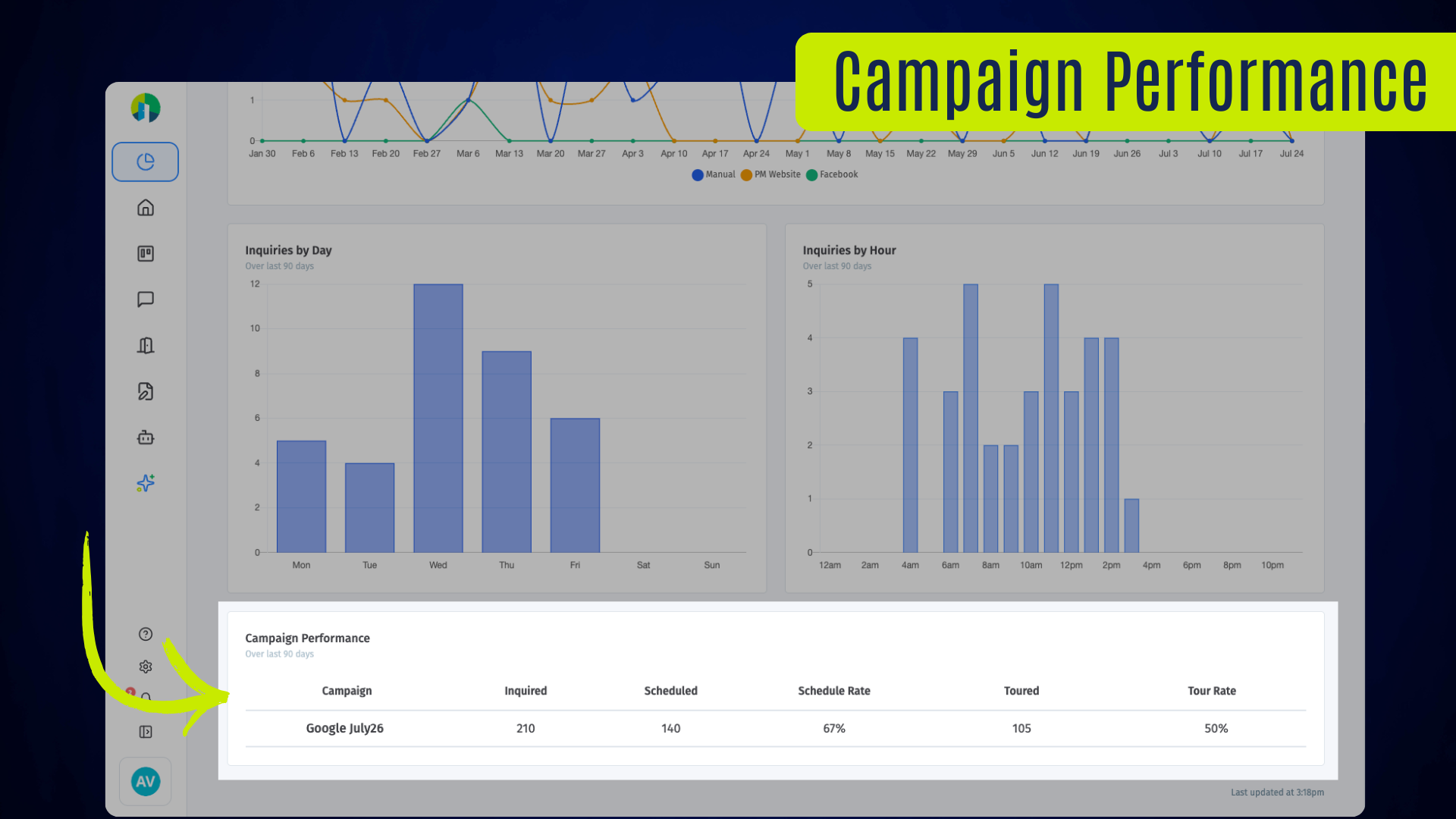
Property managers can now add a campaign value to listing widgets, iframes, or standalone listing links, making it easier to connect widget-driven inquiries back to the marketing effort that produced them.
When a prospect submits an inquiry through a tracked link, Showdigs attaches the campaign to that inquiry and carries it into prospect context, reporting, and unit performance views. Campaign names are normalized automatically, so teams can use readable values in links while still getting consistent reporting.
In the Marketing Dashboard, campaigns appear with:
- Inquiry counts
- Scheduled tour counts and schedule rate
- Completed tour counts and tour rate
Unit performance views also show campaign performance for the current leasing cycle, giving teams a clearer read on which sources are producing tours, not just traffic.

Customize your listing widget
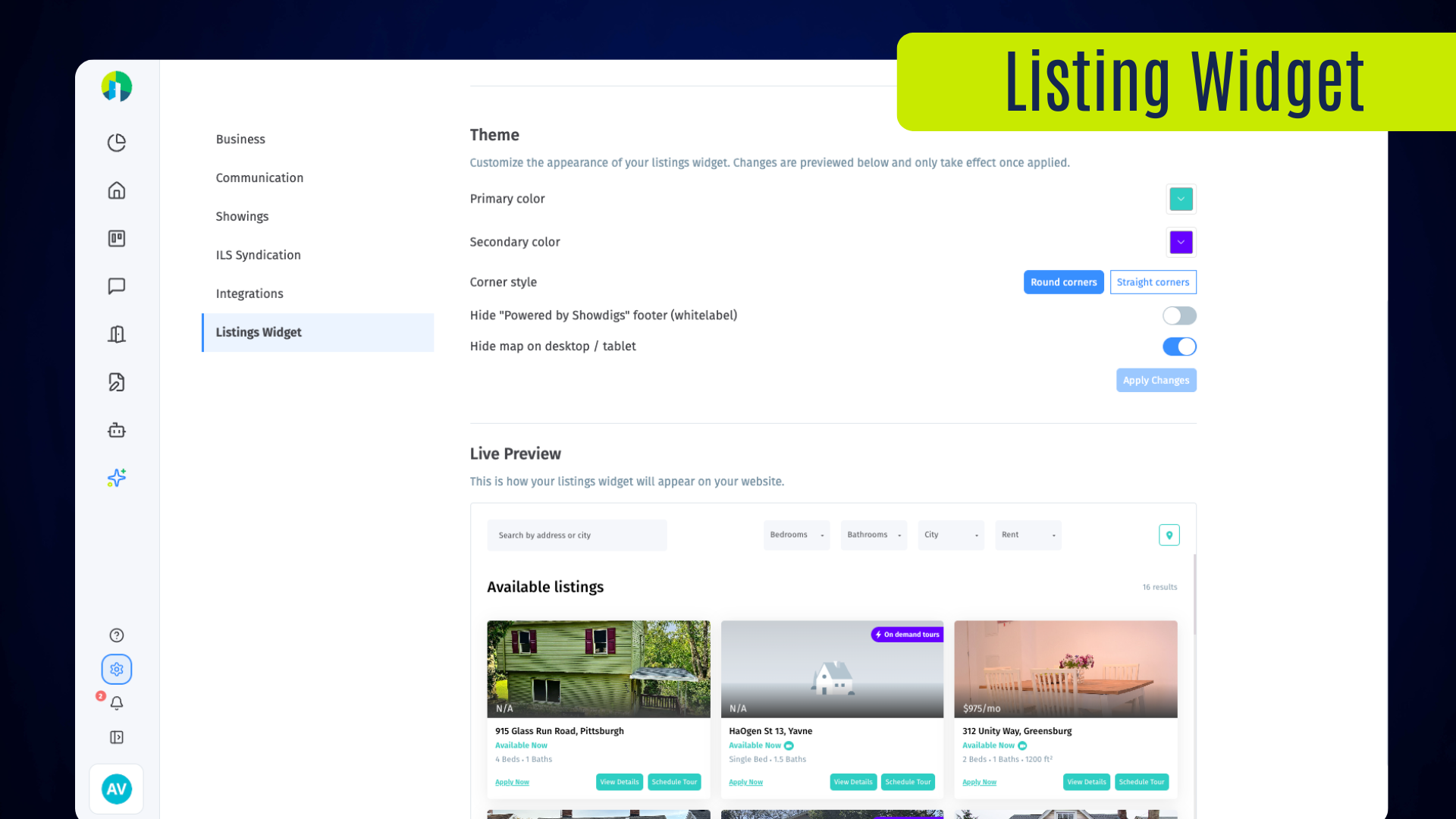
The listing widget now has its own settings tab, giving PMs a cleaner place to manage how listings appear on their website. Teams can:
- Update the widget's primary and secondary colors
- Choose rounded or straight corners
- Decide whether the map should be shown by default on desktop and tablet
A live preview shows how the widget will look before changes are applied, making it easier to keep the listing experience aligned with the company's website while still using Showdigs to capture and schedule prospect interest.
SHOWDIGS BLOG
How to Leverage Data Analytics for Smarter Rental Processes
Properties using data analytics report up to 30% faster lease-ups. Here is how property managers turn leasing data into smarter pricing and fewer vacancies.