




Coordinating property access for maintenance professionals, cleaning services, and inspectors should take 10 seconds, not 30 minutes. Showdigs vendor access makes that possible.
How to set up vendor access
Step 1: Go to the Devices page in your Showdigs account.
Step 2: Confirm your lockboxes are assigned to the correct properties.
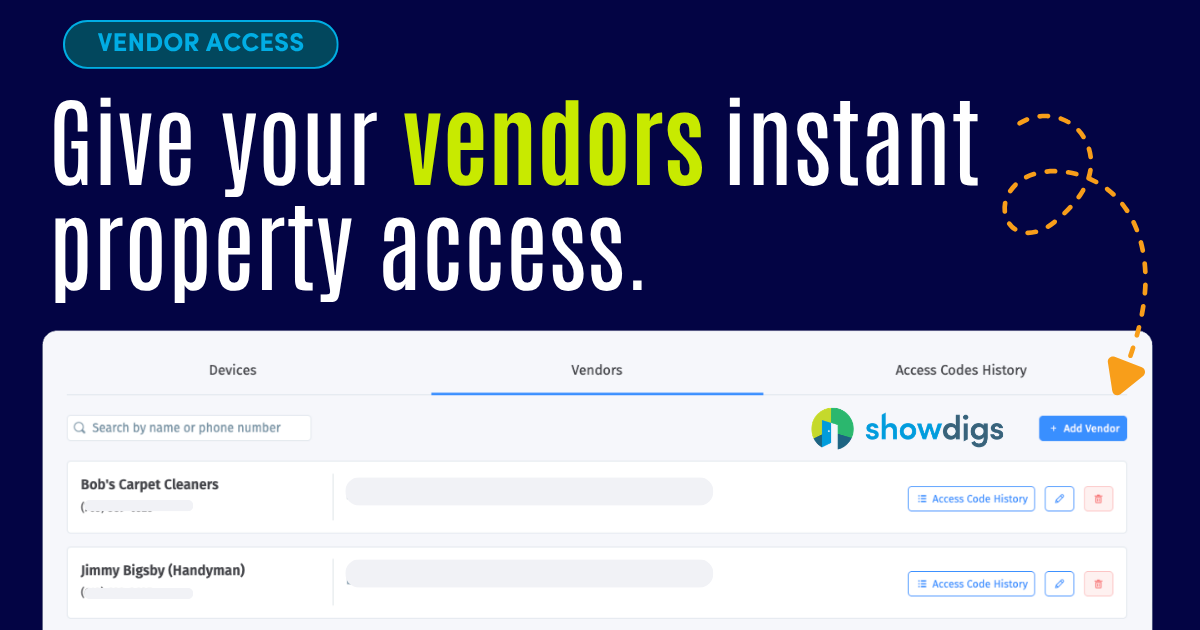
Step 3: Click the Vendors tab.
Step 4: Add authorized vendors by name and phone number.
That is the full setup. One time, done.
"They've really allowed us to increase our flexibility for our leasing agents and increase the availability of our homes for prospective tenants." — Amber H., Assistant Property Manager
How vendors request access
Step 1: The vendor arrives at the property and finds the serial number on the lockbox.
Step 2: They text that serial number to your Showdigs leasing phone line, found in Settings under Business and Leasing Phone Line.
Step 3: Showdigs confirms the vendor's phone number is on your pre-approved list.
Step 4: If authorized, the system sends back a unique time-limited access code immediately.
Step 5: The vendor enters the code and accesses the property.
No call to you. No scramble to find a code. No waiting.
Supported hardware Vendor access currently works with CodeBox and SentriLock keyboxes.
Why it matters
Every property manager has a version of the same story. A vendor stuck outside a property waiting for a code that should have taken 10 seconds to send. Showdigs vendor access closes that gap completely. You control who is on the approved list. The system handles every access request automatically.
Frequently Asked Questions
Which lockbox types does Showdigs vendor access support?
Vendor access currently supports CodeBox and SentriLock keyboxes. Your lockboxes must be assigned to the correct properties in your Showdigs account before vendors can request codes.
Are the access codes permanent?
No. Each code is unique and time-limited, valid only for a short window. This keeps your properties secure even if a code is shared or a vendor relationship changes.
What happens if a vendor texts from a number that is not on the approved list?
The system does not generate a code. Only pre-approved phone numbers receive access codes. Unauthorized access attempts are blocked automatically.
Can I remove a vendor from the approved list?
Yes. Go to the Vendors tab on the Devices page and remove any vendor at any time. Access is revoked immediately.
Is there a record of vendor access requests?
Every access request goes through your Showdigs leasing phone line, creating a record of every code request including the vendor's number, the property, and the time of the request.
.png)